
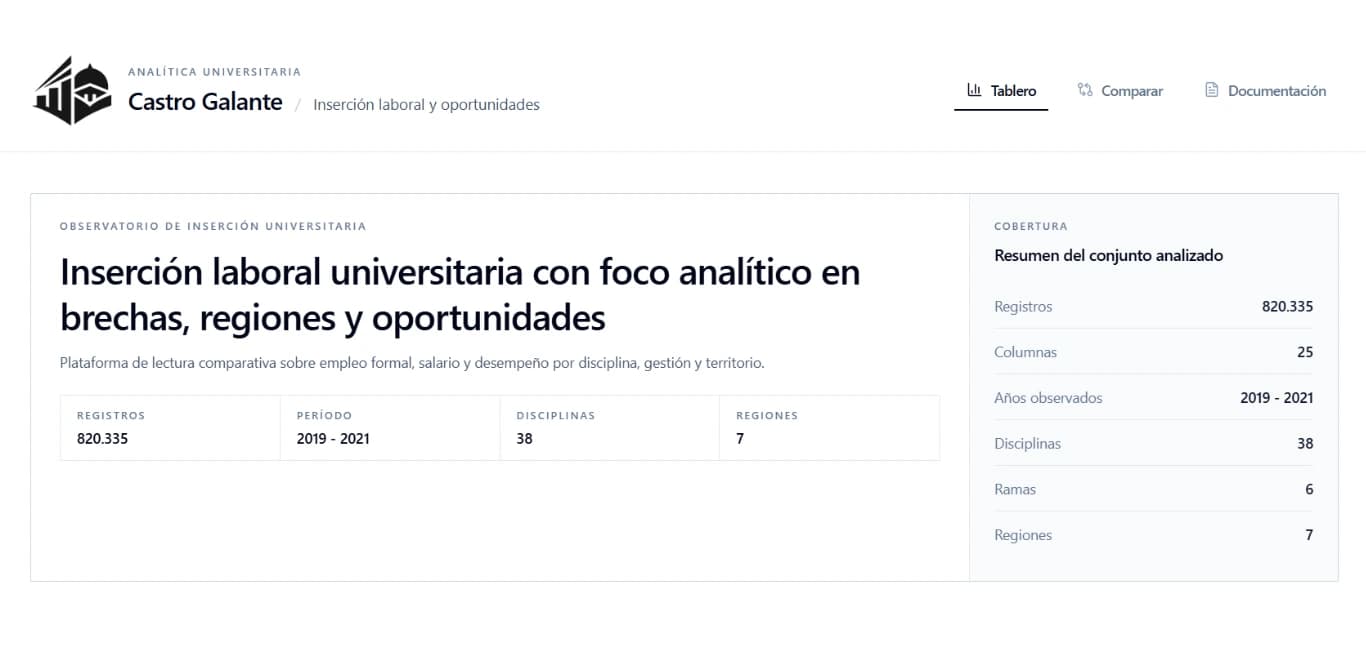
This project didn't start as a web application. It started as a notebook analysis, using real data about university graduates in Argentina. The initial idea was to better understand how formal labor market insertion works, but over time it grew into something much larger.
I decided to turn that analysis into a complete product. That's how Castro Galante University Analytics was born — a full stack application that allows users to explore data, cross-reference variables, and visualize patterns clearly.
The problem it solves
There's a lot of data on education and employment, but it's not always available in an accessible or useful form. In particular, understanding what happens to university graduates after they finish their degrees is not straightforward.
The project focuses on answering concrete questions about formal employment, salaries, and differences across disciplines, genders, regions, and institution types.
System objective
The goal was to build a tool that enables analysis of the labor market for university graduates using real data, with a clear and flexible user experience.
- Explore formal employment rates
- Analyze average and median salaries
- Compare results by discipline and region
- Detect gaps between different groups
From notebook to full stack application
The starting point was a dataset of individual records enriched with a category dictionary. From that initial analysis, I built an API that encapsulates all the processing logic, and then a frontend to consume it.
The application is divided into two well-defined parts: a Python backend with FastAPI and a React frontend.
Backend: processing and API
The backend is developed in Python using FastAPI. It handles data loading, processing, and exposure through REST endpoints.
The main dataset is in CSV format and is complemented by an Excel file that acts as a category dictionary. This allows enriching the data and working with dimensions such as discipline, region, or gender.
Business logic is organized into services that calculate indicators, aggregations, and rankings based on dynamic filters.
- Data loading and cleaning with Pandas
- Numerical calculations with NumPy
- Endpoint exposure with FastAPI
- ASGI server with Uvicorn
Main endpoints
- Global system KPIs
- Temporal evolution of employment and salary
- Comparisons by institutional management type
- Analysis by gender and region
- Discipline ranking by opportunity index
- Discipline comparator
All endpoints accept combinable filters such as year, discipline, region, gender, or management type, enabling quite flexible queries.
Frontend: visualization and interaction
The frontend is built with React and Vite, using Tailwind CSS for styling and Recharts for data visualization.
The interface is designed as an interactive dashboard where all components respond to the selected filters.
- Main dashboard with KPIs
- Temporal evolution charts
- Management type and gender comparisons
- Regional ranking
- Discipline scatter plot
State management and data fetching are handled through custom hooks, while Axios centralizes all API calls.
The opportunity index
An important part of the project is a custom index that combines formal employment and median salary. This index weights both factors and allows disciplines to be ranked by their relative performance.
Normalization is performed on the filtered subset, making results comparable within the selected context.
Technologies used
Backend: Python, FastAPI, Pandas, NumPy, Uvicorn
Frontend: React, Vite, Tailwind CSS, Recharts, Axios
Deployment: Railway (backend), Vercel (frontend)
Challenges
One of the main challenges was structuring the project as a real system rather than an isolated analysis. It was also important to correctly handle combined filters and ensure consistency in calculations.
Another key point was maintaining a clear separation between business logic and visualization.
Next steps
- User authentication
- Saved views and favorites
- Data export
- Geographic maps by province
- Automatic insight generation
- Migration to a relational database
- Unit and integration tests
"Going from an analysis to a product completely changes the way you think about development."
- Carlos José Castro Galante
This project marks a clear difference from more basic work. It's not just about analyzing data — it's about building a tool that makes that data concretely useful.